начало
Атрибут begin определяет, когда должно начаться анимация.
Значение атрибута представляет собой список значений, разделенных точкой с запятой. Интерпретация списка начальных моментов времени подробно описана в спецификации SMIL в "Оценивание списков начального и конечного времени". Каждое отдельное значение может быть одним из следующих: <offset-value>, <syncbase-value>, <event-value>, <repeat-value>, <accessKey-value>, <wallclock-sync-value> или ключевым словом indefinite.
Вы можете использовать этот атрибут со следующими элементами SVG:
animate, animateMotion, animateTransform, set
Для <animate>, <animateMotion>, <animateTransform> и <set>, begin определяет, когда элемент должен начаться, то есть стать активным.
| Значение | <begin-value-list> |
|---|---|
| Значение по умолчанию | 0s |
| Анимируемо | Нет |
<begin-value-list> представляет собой список значений, разделенных точкой с запятой. Каждое значение может быть одним из следующих:
<offset-value>-
Это значение определяет значение-час, которое представляет момент времени относительно начала документа SVG (обычно событие
loadилиDOMContentLoaded).Отрицательные значения допустимы.
<syncbase-value>-
Это значение определяет syncbase и необязательное смещение от этого syncbase. Время начала анимации элемента определяется относительно начала или активного конца другой анимации.
Допустимое значение syncbase состоит из ссылки на идентификатор другого элемента анимации, за которым следует точка и либо
begin, либоend, чтобы указать, следует ли синхронизироваться с началом или активным концом элемента анимации, на который ссылаются. Необязательное смещение, как определено в<offset-value>, может быть добавлено. <event-value>-
Это значение определяет событие и необязательное смещение, которое определяет момент времени, когда должна начаться анимация элемента. Время начала анимации определяется относительно времени срабатывания указанного события.
Допустимое значение event состоит из идентификатора элемента, за которым следует точка и одно из поддерживаемых событий для этого элемента. Все допустимые события (не обязательно поддерживаемые всеми элементами) определены спецификациями DOM и HTML. Это:
focusblurfocusinfocusoutDOMActivate- … (остальные ссылки на события)
Необязательное смещение, как определено в
<offset-value>, может быть добавлено. <repeat-value>-
Это значение определяет квалифицированное событие повторения. Время начала анимации элемента определяется относительно времени, когда событие повторения возникает с указанным значением итерации.
Допустимое значение repeat состоит из идентификатора элемента, за которым следует точка и функция
repeat(), с целым значением, определяющим количество повторений, в качестве параметра. Необязательное смещение, как определено в<offset-value>, может быть добавлено. <accessKey-value>-
Это значение определяет клавишу доступа, которая должна запустить анимацию. Анимация элемента начнется, когда пользователь нажмёт указанную клавишу.
Допустимое значение accessKey состоит из функции
accessKey()с символом, который необходимо ввести, в качестве параметра. Необязательное смещение, как определено в<offset-value>, может быть добавлено. <wallclock-sync-value>-
Это значение определяет время начала анимации в реальном времени.
Допустимое значение wallclock-sync состоит из функции
wallclock()со значением времени в качестве параметра. Синтаксис времени основан на синтаксисе, определённом в ISO 8601. indefinite-
Начало анимации будет определено вызовом метода
beginElement()или ссылкой гиперссылки, направленной на элемент.
Примеры
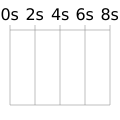
Пример смещения
<svg
  width="120"
  height="120"
  viewBox="0 0 120 120"
  xmlns="http://www.w3.org/2000/svg"
  version="1.1">
  <!-- animated rectangles -->
  <rect x="10" y="35" height="15" width="0">
    <animate
      attributeType="XML"
      attributeName="width"
      to="100"
      begin="0s"
      dur="8s"
      fill="freeze" />
  </rect>

  <rect x="35" y="60" height="15" width="0">
    <animate
      attributeType="XML"
      attributeName="width"
      to="75"
      begin="2s"
      dur="6s"
      fill="freeze" />
  </rect>

  <rect x="60" y="85" height="15" width="0">
    <animate
      attributeType="XML"
      attributeName="width"
      to="50"
      begin="4s"
      dur="4s"
      fill="freeze" />
  </rect>

  <!-- grid -->
  <text x="10" y="20" text-anchor="middle">0s</text>
  <line x1="10" y1="25" x2="10" y2="105" stroke="grey" stroke-width=".5" />
  <text x="35" y="20" text-anchor="middle">2s</text>
  <line x1="35" y1="25" x2="35" y2="105" stroke="grey" stroke-width=".5" />
  <text x="60" y="20" text-anchor="middle">4s</text>
  <line x1="60" y1="25" x2="60" y2="105" stroke="grey" stroke-width=".5" />
  <text x="85" y="20" text-anchor="middle">6s</text>
  <line x1="85" y1="25" x2="85" y2="105" stroke="grey" stroke-width=".5" />
  <text x="110" y="20" text-anchor="middle">8s</text>
  <line x1="110" y1="25" x2="110" y2="105" stroke="grey" stroke-width=".5" />

  <line x1="10" y1="30" x2="110" y2="30" stroke="grey" stroke-width=".5" />
  <line x1="10" y1="105" x2="110" y2="105" stroke="grey" stroke-width=".5" />
</svg>
Пример синхронизации
<svg
  width="120"
  height="120"
  viewBox="0 0 120 120"
  xmlns="http://www.w3.org/2000/svg"
  version="1.1"
  xmlns:xlink="http://www.w3.org/1999/xlink">
  <!-- animated rectangles -->
  <rect x="10" y="35" height="15" width="0">
    <animate
      attributeType="XML"
      attributeName="width"
      to="50"
      id="first"
      begin="0s;third.end"
      dur="4s" />
  </rect>

  <rect x="60" y="60" height="15" width="0">
    <animate
      attributeType="XML"
      attributeName="width"
      to="25"
      id="second"
      begin="first.end"
      dur="2s" />
  </rect>

  <rect x="85" y="85" height="15" width="0">
    <animate
      attributeType="XML"
      attributeName="width"
      to="25"
      id="third"
      begin="second.end"
      dur="2s" />
  </rect>

  <!-- grid -->
  <text x="10" y="20" text-anchor="middle">0s</text>
  <line x1="10" y1="25" x2="10" y2="105" stroke="grey" stroke-width=".5" />
  <text x="35" y="20" text-anchor="middle">2s</text>
  <line x1="35" y1="25" x2="35" y2="105" stroke="grey" stroke-width=".5" />
  <text x="60" y="20" text-anchor="middle">4s</text>
  <line x1="60" y1="25" x2="60" y2="105" stroke="grey" stroke-width=".5" />
  <text x="85" y="20" text-anchor="middle">6s</text>
  <line x1="85" y1="25" x2="85" y2="105" stroke="grey" stroke-width=".5" />
  <text x="110" y="20" text-anchor="middle">8s</text>
  <line x1="110" y1="25" x2="110" y2="105" stroke="grey" stroke-width=".5" />

  <line x1="10" y1="30" x2="110" y2="30" stroke="grey" stroke-width=".5" />
  <line x1="10" y1="105" x2="110" y2="105" stroke="grey" stroke-width=".5" />
</svg>
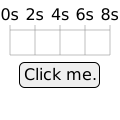
Пример события
<svg
  width="120"
  height="120"
  viewBox="0 0 120 120"
  xmlns="http://www.w3.org/2000/svg"
  version="1.1"
  xmlns:xlink="http://www.w3.org/1999/xlink">
  <!-- animated rectangle -->
  <rect x="10" y="35" height="15" width="0">
    <animate
      attributeType="XML"
      attributeName="width"
      from="0"
      to="100"
      begin="startButton.click"
      dur="8s"
      fill="freeze" />
  </rect>

  <!-- trigger -->
  <rect
    id="startButton"
    style="cursor:pointer;"
    x="19.5"
    y="62.5"
    rx="5"
    height="25"
    width="80"
    fill="#EFEFEF"
    stroke="black"
    stroke-width="1" />

  <text x="60" y="80" text-anchor="middle" style="pointer-events:none;">
    Click me.
  </text>

  <!-- grid -->
  <text x="10" y="20" text-anchor="middle">0s</text>
  <line x1="10" y1="25" x2="10" y2="55" stroke="grey" stroke-width=".5" />
  <text x="35" y="20" text-anchor="middle">2s</text>
  <line x1="35" y1="25" x2="35" y2="55" stroke="grey" stroke-width=".5" />
  <text x="60" y="20" text-anchor="middle">4s</text>
  <line x1="60" y1="25" x2="60" y2="55" stroke="grey" stroke-width=".5" />
  <text x="85" y="20" text-anchor="middle">6s</text>
  <line x1="85" y1="25" x2="85" y2="55" stroke="grey" stroke-width=".5" />
  <text x="110" y="20" text-anchor="middle">8s</text>
  <line x1="110" y1="25" x2="110" y2="55" stroke="grey" stroke-width=".5" />

  <line x1="10" y1="30" x2="110" y2="30" stroke="grey" stroke-width=".5" />
  <line x1="10" y1="55" x2="110" y2="55" stroke="grey" stroke-width=".5" />
</svg>
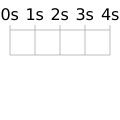
Пример повторения
<svg
  width="120"
  height="120"
  viewBox="0 0 120 120"
  xmlns="http://www.w3.org/2000/svg"
  version="1.1"
  xmlns:xlink="http://www.w3.org/1999/xlink">
  <!-- animated rectangle -->
  <rect x="10" y="35" height="15" width="0">
    <animate
      attributeType="XML"
      attributeName="width"
      from="0"
      to="100"
      id="myLoop"
      begin="0s;myLoop.end"
      dur="4s"
      repeatCount="3" />

    <set
      attributeType="CSS"
      attributeName="fill"
      to="green"
      begin="myLoop.begin" />

    <set
      attributeType="CSS"
      attributeName="fill"
      to="gold"
      begin="myLoop.repeat(1)" />

    <set
      attributeType="CSS"
      attributeName="fill"
      to="red"
      begin="myLoop.repeat(2)" />
  </rect>

  <!-- grid -->
  <text x="10" y="20" text-anchor="middle">0s</text>
  <line x1="10" y1="25" x2="10" y2="55" stroke="grey" stroke-width=".5" />
  <text x="35" y="20" text-anchor="middle">1s</text>
  <line x1="35" y1="25" x2="35" y2="55" stroke="grey" stroke-width=".5" />
  <text x="60" y="20" text-anchor="middle">2s</text>
  <line x1="60" y1="25" x2="60" y2="55" stroke="grey" stroke-width=".5" />
  <text x="85" y="20" text-anchor="middle">3s</text>
  <line x1="85" y1="25" x2="85" y2="55" stroke="grey" stroke-width=".5" />
  <text x="110" y="20" text-anchor="middle">4s</text>
  <line x1="110" y1="25" x2="110" y2="55" stroke="grey" stroke-width=".5" />

  <line x1="10" y1="30" x2="110" y2="30" stroke="grey" stroke-width=".5" />
  <line x1="10" y1="55" x2="110" y2="55" stroke="grey" stroke-width=".5" />
</svg>
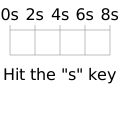
Пример accesskey
<svg
  width="120"
  height="120"
  viewBox="0 0 120 120"
  xmlns="http://www.w3.org/2000/svg"
  version="1.1"
  xmlns:xlink="http://www.w3.org/1999/xlink">
  <!-- animated rectangles -->
  <rect x="10" y="35" height="15" width="0">
    <animate
      attributeType="XML"
      attributeName="width"
      from="0"
      to="100"
      begin="accessKey(s)"
      dur="8s"
      fill="freeze" />
  </rect>

  <!-- trigger -->
  <text x="60" y="80" text-anchor="middle" style="pointer-events:none;">
    Hit the "s" key
  </text>

  <!-- grid -->
  <text x="10" y="20" text-anchor="middle">0s</text>
  <line x1="10" y1="25" x2="10" y2="55" stroke="grey" stroke-width=".5" />
  <text x="35" y="20" text-anchor="middle">2s</text>
  <line x1="35" y1="25" x2="35" y2="55" stroke="grey" stroke-width=".5" />
  <text x="60" y="20" text-anchor="middle">4s</text>
  <line x1="60" y1="25" x2="60" y2="55" stroke="grey" stroke-width=".5" />
  <text x="85" y="20" text-anchor="middle">6s</text>
  <line x1="85" y1="25" x2="85" y2="55" stroke="grey" stroke-width=".5" />
  <text x="110" y="20" text-anchor="middle">8s</text>
  <line x1="110" y1="25" x2="110" y2="55" stroke="grey" stroke-width=".5" />

  <line x1="10" y1="30" x2="110" y2="30" stroke="grey" stroke-width=".5" />
  <line x1="10" y1="55" x2="110" y2="55" stroke="grey" stroke-width=".5" />
</svg>
В этом примере используется iFrame. Для активации событий клавиш, необходимо сначала нажать на него.
Спецификации
| Спецификация |
|---|
| SVG Анимации Уровень 2 # BeginAttribute |
© 2005–2024 MDN contributors.
Licensed under the Creative Commons Attribution-ShareAlike License v2.5 or later.
https://developer.mozilla.org/en-US/docs/Web/SVG/Attribute/begin